Official specs from Steam
Final Fantasy VII Rebirth system requirements
Minimum and recommended PC specs as listed by the developer on Steam.
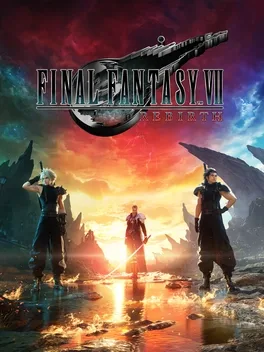
Minimum
| Note | Requires a 64-bit processor and operating system |
|---|---|
| OS | Windows® 10 64-bit |
| Processor | AMD Ryzen™ 5 1400 / Intel® Core™ i3-8100 |
| Memory | 16 GB RAM |
| Graphics | AMD Radeon™ RX 6600 (RX 6600 or above required) / Intel® Arc™ A580 / NVIDIA® GeForce® RTX 2060 (RTX series required) |
| DirectX | Version 12 |
| Storage | 155 GB available space |
| Additional Notes | 1080P / 30FPS (Graphics Quality Preset “Low”), SSD Required. Graphics Cards with Shader Model 6.6 support and OS with DirectX 12 Ultimate support required. 12GB VRAM or above recommended to play on 4k resolution. |
Recommended
| Note | Requires a 64-bit processor and operating system |
|---|---|
| OS | Windows® 11 64-bit |
| Processor | AMD Ryzen™ 5 5600 or Ryzen™ 7 3700X / Intel® Core™ i7-8700 or Core™ i5-10400 |
| Memory | 16 GB RAM |
| Graphics | AMD Radeon™ RX 6700 XT / NVIDIA® GeForce® RTX 2070 |
| DirectX | Version 12 |
| Storage | 155 GB available space |
| Additional Notes | 1080p / 60FPS (Graphics Quality Preset “Medium”), SSD Required. 12GB VRAM or above recommended to play on 4k resolution. |
FAQ
What graphics card do I need for Final Fantasy VII Rebirth?
Minimum: AMD Radeon™ RX 6600 (RX 6600 or above required) / Intel® Arc™ A580 / NVIDIA® GeForce® RTX 2060 (RTX series required). Recommended: AMD Radeon™ RX 6700 XT / NVIDIA® GeForce® RTX 2070.
How much RAM does Final Fantasy VII Rebirth need?
Final Fantasy VII Rebirth needs 16 GB RAM at minimum, 16 GB RAM recommended.
How big is Final Fantasy VII Rebirth?
Final Fantasy VII Rebirth requires 155 GB available space.
Does Final Fantasy VII Rebirth run on Mac or Steam Deck/Linux?
There is no native macOS version. There is no native Linux build (Proton compatibility may vary).